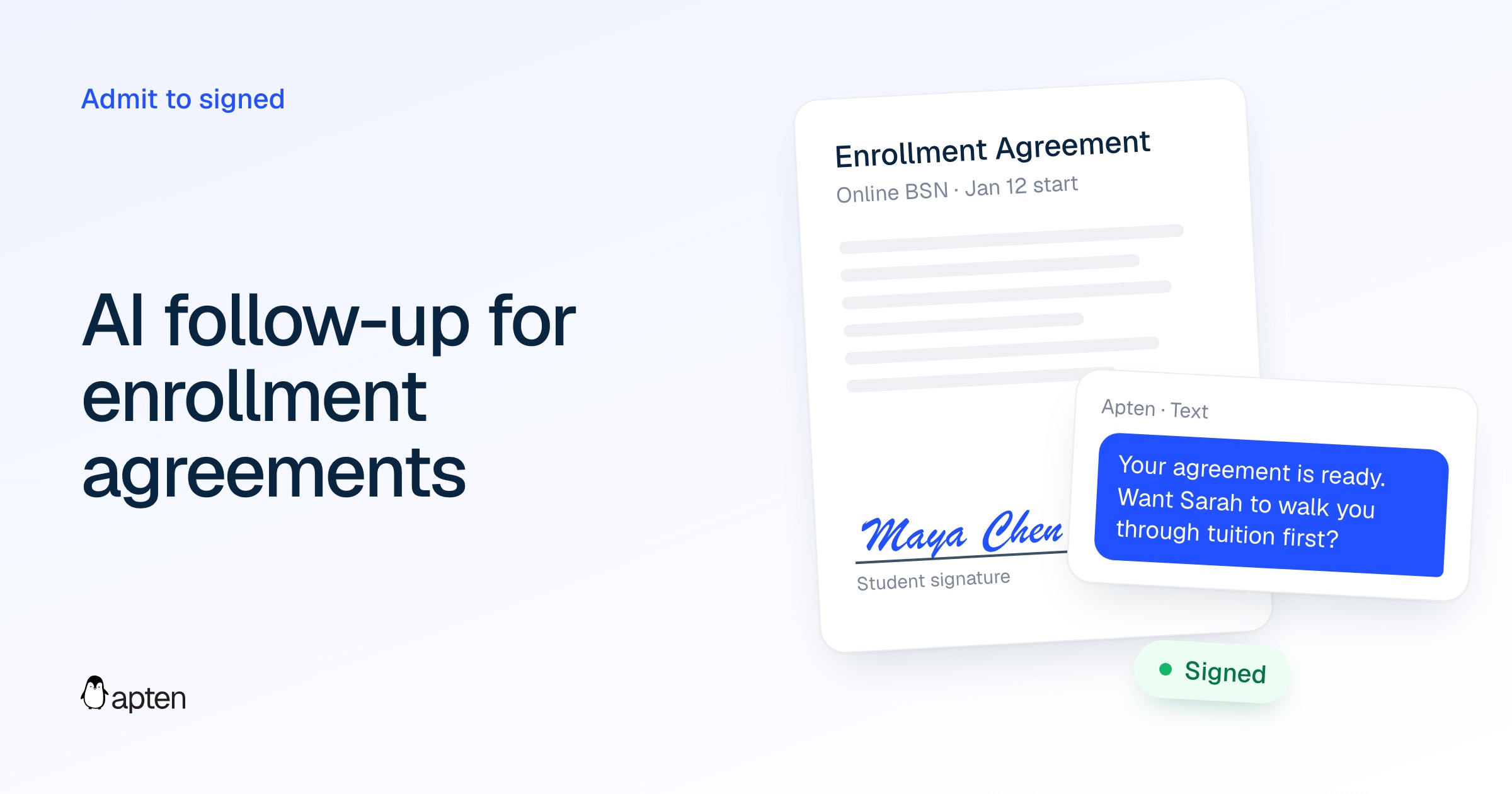
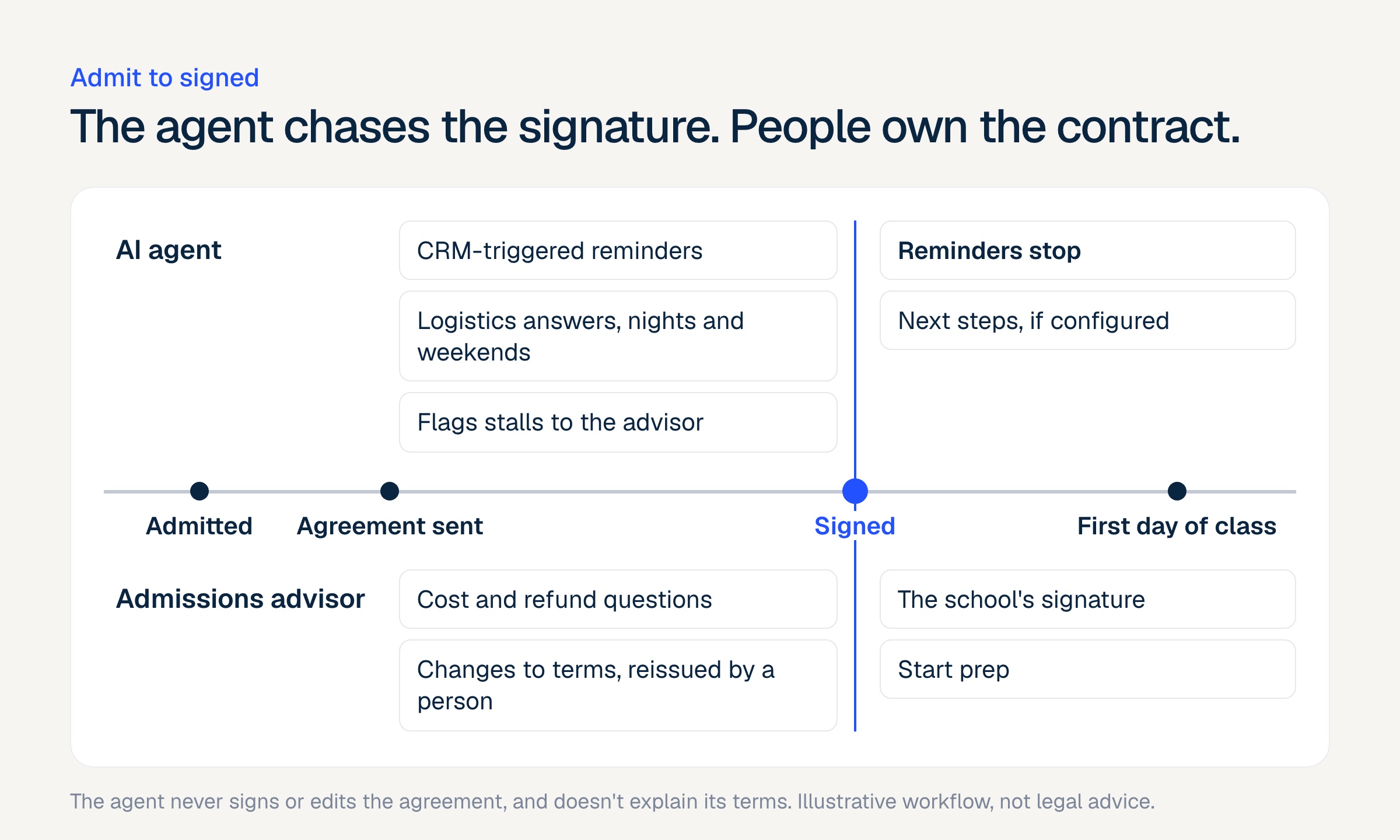
An AI agent can help an admitted student get from admit to a signed enrollment agreement. It can send reminders by text, email and phone when the CRM shows the agreement as unsigned, answer logistics questions at any hour, and hand every question about cost, refunds or contract terms to a human advisor. It should never sign the agreement, change its terms, or explain tuition and cancellation rights in its own words.
The admit-to-signed window gets less attention than the inquiry stage, but it's where some of the most expensive drop-off happens. The school has already paid to generate the lead, an advisor has worked it, and the student said yes. Then the agreement sits in an inbox.
RNL's graduate funnel benchmarks put admit-to-register at about 80%, which means roughly one admitted student in five never gets there. RNL's 2024 Online Student Recruitment Report also found that 85% of online students would likely enroll in the program that admits them first. Being first only helps if the student finishes the paperwork with you.
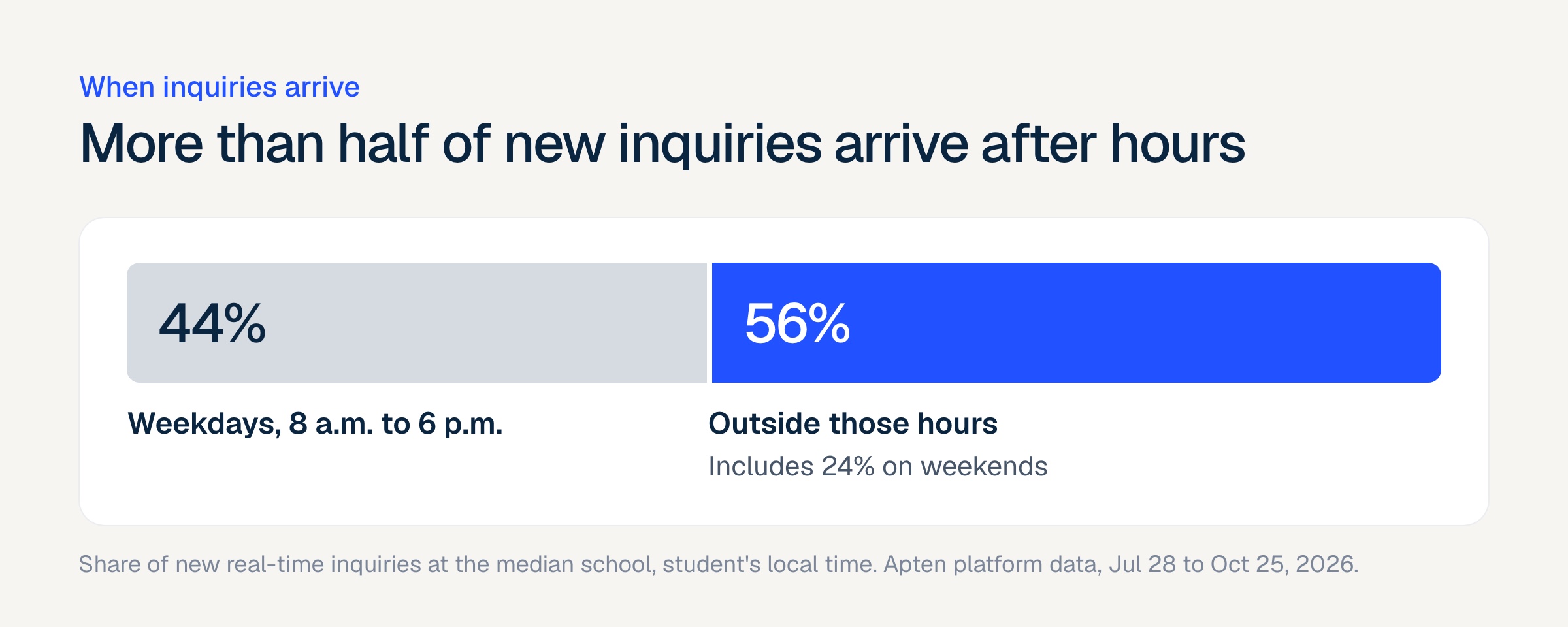
The timing is awkward for human teams. At the median school on Apten between July 28 and October 25, 2026, 56% of new inquiries arrived outside weekday business hours (8 a.m. to 6 p.m.), and 24% arrived on weekends. Adult learners are often the same way with an enrollment agreement. They read it after work, at the kitchen table, and that's when their questions come up.
Below is what an AI agent should do in that window, what it must never do, and the federal and state rules behind those limits. It isn't legal advice, so run your setup past counsel.
Can AI follow up on unsigned enrollment agreements?
Yes, and it's one of the cleaner jobs to give an agent. The trigger is a CRM field such as agreement sent or agreement signed, the goal is obvious, and the reasons a student stalls are predictable. Most stalls fall into a few buckets:
Logistics. The e-sign email went to spam, the link expired, the document won't open on a phone, or the student doesn't know which email address the school used.
Cost and money. The student wants to confirm tuition, a payment plan, whether aid is final, or what happens if they withdraw.
Schedule. They aren't sure about the start date, orientation, or whether the course load fits around work.
Second thoughts. They want to talk to a spouse or employer first, or they're comparing another program.
An agent can fully resolve the first bucket and most of the third. It should hand off the second and fourth. That split is the whole design.
What should an AI agent do between admit and a signed agreement?
Here's the job, in the order it usually happens.
Start when the CRM says so. The agent should act on a field change in your CRM, like an agreement status moving to "sent," not on a schedule someone guesses. When the field flips to "signed," follow-ups stop at once. Nobody should get a reminder for a document they signed an hour ago.
Remind on the student's channels. Text first for most students, email for those who prefer it, and a call when texts go unanswered. Each reminder says what's pending, links to the signing page or your portal, and names a real deadline if one exists.
Answer logistics questions. Where the link is, how to resend it, which browser works, how to sign on a phone, when classes start, what orientation involves. These answers come from content the school approves.
Route money and terms questions to a person. Say plainly that an advisor will answer, then warm-transfer the student or book a callback. The handoff mechanics are covered in when AI should hand off to an admissions advisor.
Flag stalls. If a student has gone quiet for several days, or has asked the same question twice, the advisor should know before the start date gets close.
Write it back. The CRM record should show what the agent sent, what the student asked, and whether a handoff happened, so the advisor's next call picks up where the agent left off.
| Situation | AI agent | Human advisor |
|---|---|---|
| Agreement sent, no activity after 24 hours | Sends a reminder with the link | Not needed yet |
| "I never got the email" | Explains how to find or resend it, or triggers a resend if your workflow allows | Only if the resend fails |
| "When do classes start?" | Answers from approved content | Not needed |
| "What's the total cost?" or "Is my aid final?" | Says an advisor will confirm, then transfers or books a callback | Answers |
| "Can I get a refund if I drop?" | Points to the cancellation and refund section of the agreement, then hands off | Explains the policy |
| "Can you change the start date on my agreement?" | Hands off. It can't change the document | Decides and reissues if appropriate |
| "I need to talk to my wife first" | Says that's a good idea, offers a time to follow up | Follows up if the student wants a call |
| "Stop texting me" | Stops on that channel and records the opt-out | Decides whether any other contact is appropriate |
| Agreement signed | Stops reminders, sends next steps if configured | Moves the student to start prep |
What must an AI agent never do with an enrollment agreement?
The enrollment agreement is a contract, and in many states a regulated one. Five limits follow from that.
Never sign. Not for the student, not for the school. The agent sends the student to the school's signing tool and stops there.
Never change terms, or promise to. "I can move your start date" or "they'll waive that fee" sounds helpful and creates a dispute later. Changes to the agreement go through a person who can reissue it.
Never paraphrase cost, refund or cancellation terms. A summary that drops one condition can become a misleading statement. The agent can point to the section of the agreement, or quote text the school has approved word for word. Explaining it is an advisor's job.
Never pressure. No invented deadlines, no "seats are almost gone" unless it's true, no "you'll lose your spot." Federal rules name these tactics, as the next section shows.
Never discourage a second opinion. When a student says they want to check with family or an employer, the right answer is "good idea, when should I check back?"
A sixth rule is about honesty. The agent should say it's an AI and make a person easy to reach. The chatbot vs agent guide covers disclosure in more detail.
What do federal rules say about AI talking to admitted students?
If your institution participates in federal student aid programs, two parts of 34 CFR Part 668 shape this whole workflow. Neither mentions AI. Neither needs to.
Misrepresentation (34 CFR 668.71 to 668.75)
Under 668.71, a school is treated as having made a substantial misrepresentation when the school, one of its representatives, or any organization it has an agreement with for "marketing, advertising, recruiting or admissions services" makes one.
A statement is "any communication made in writing, visually, orally, or through other means," and a statement that leaves out information so that it misleads also counts. So when a vendor's agent texts a student, the Department of Education treats that text as your school's statement.
Section 668.73 then lists financial topics where misleading statements count as misrepresentation. They include "the cost of the program and the institution's refund policy if the student does not complete the program," the availability or amount of financial aid, the student's responsibility to repay loans, and "the amount, method, or timing of payment of tuition and fees."
Section 668.72 covers program claims such as transfer credit and licensure eligibility, and 668.74 covers graduate employability. Put those sections side by side and you get the list of topics an agent should hand to a person.
The consequences are serious. The Secretary can deny participation applications or open a proceeding under subpart G, and for provisionally certified schools can also revoke the program participation agreement or limit participation.
Aggressive and deceptive recruitment (34 CFR 668.500 and 668.501)
Subpart R came in with the Department's 2022 borrower defense rule and applies the same contractor logic to recruitment tactics. Its status is unsettled. The Fifth Circuit enjoined the 2022 rule in 2023, and the 2025 budget law delayed its borrower defense provisions until 2035, so ask counsel whether and how it applies to you. Its list of banned tactics is still the clearest written description of what a reminder sequence shouldn't do. Section 668.501 describes conduct that would:
"Demand or pressure the student or prospective student to make enrollment or loan-related decisions immediately, including falsely claiming that the student or prospective student would lose their opportunity to attend"
"Discourage the student or prospective student from consulting an adviser, a family member, or other resource or individual prior to making enrollment or loan-related decisions"
"Repeatedly engage in unsolicited contact for the purpose of enrolling or reenrolling after the student or prospective student has requested not to be contacted further"
Those three map straight onto agent settings: honest deadline language, a supportive response when a student wants to think it over, and opt-outs that actually stop outreach. Whatever happens to subpart R, a sequence that ignores "please stop" is already a TCPA problem, and the misrepresentation rules above are long-standing. The 2026 TCPA and state law guide covers the calling and texting side.
What do E-SIGN and state rules add?
Electronic signatures
The federal E-SIGN Act (15 U.S.C. 7001) says a contract "may not be denied legal effect, validity, or enforceability solely because an electronic signature or electronic record was used in its formation." Where a law requires that information be given to a consumer in writing, electronic delivery only satisfies that requirement if the consumer has affirmatively consented after receiving specific disclosures, such as the right to a paper copy and how to withdraw consent.
That consent flow belongs to your e-signature tool. An agent that texts a link doesn't replace it. If a student asks "can you just send me the PDF instead," the agent should tell them how to request a copy through the school, not improvise a workaround.
State career-school rules
State rules for licensed private career schools are where the details get specific. Two examples:
New York. Commissioner's Regulation 126.7(a) requires that the enrollment agreement be "fully completed, dated and signed by both an authorized agent of the school and the student prior to the time instruction begins."
In September 2025, the Bureau of Proprietary School Supervision published a policy guideline on AI use in licensed schools. It limits AI to informational use, keeps the review of the enrollment agreement with a licensed agent, and asks schools to submit an AI Use Request Form, with questions going to their field associate. Read the guideline itself before you configure anything.
California. Education Code 94911(e) requires a "STUDENT'S RIGHT TO CANCEL" disclosure explaining that the student can cancel and get a refund "through attendance at the first class session, or the seventh day after enrollment, whichever is later." An agent that tells a California student "you can cancel anytime before class" has just misstated a statutory right.
Other states have their own cancellation windows and agreement requirements. The safe pattern holds everywhere. The agent points to the agreement and a person explains it.
How should enrollment agreement follow-up be timed?
There's no published benchmark for the best reminder cadence after admission, so treat this as a starting point to test, not a rule. A reasonable sequence for an online program with a start date three or more weeks out:
| When | Channel | What it says |
|---|---|---|
| Agreement status changes to "sent" | Text | Congratulations, here's what to sign, here's the link, reply with any questions |
| About 24 hours, no signature | The same link, plus a short list of what's in the agreement and who to ask about cost | |
| About 3 days, no signature or reply | Call, with a text if unanswered | Checks whether something is blocking them and offers an advisor |
| About 7 days, still nothing | Text, plus an alert to the advisor | The real deadline or start date, and an offer to talk |
| Any reply with a cost or terms question | Warm transfer or booked callback | An advisor answers |
| Status changes to "signed" | Text | Confirms, lists next steps, stops reminders |
Two settings matter more than the exact timing. Quiet hours should follow the student's time zone, because online programs enroll nationally. And replies should get answered whenever they come in. More than half of new inquiries arrive outside weekday business hours, so a reminder that sparks a 9 p.m. question needs an answer at 9 p.m. At the median Apten school, the first reply to a new inquiry goes out in 7 seconds. An admitted student asking where the link went deserves the same speed.
How do you set up an AI agent for enrollment agreements?
Pick the trigger fields. Find the CRM field that records agreement sent and signed. If your e-sign tool doesn't write back to the CRM, fix that first. An agent can only follow up on a status it can see.
Write the approved logistics content. How to find the email, resend the link, sign on a phone, and what the start date and orientation look like. Keep it short and keep it current.
List the handoff topics. Start from 668.72 through 668.74: cost, refunds, cancellation, aid, loans, payment timing, transfer credit, licensure, job outcomes. Add anything your state requires a licensed agent to discuss.
Set guardrails on deadline language. The agent can state real dates. It can't make up scarcity or tell a student they'll lose their place.
Decide who gets the handoff. The student's assigned advisor if they're available, a team line if not, and a callback when nobody picks up.
Test the edge cases. Text the agent "Can I get my money back if I drop in week two?" and "Can you change my start date?" The right answer to both is a handoff. If it explains instead, tighten the guardrails before launch.
Check with counsel and your state agency. This matters most for licensed career schools in states like New York, which asks schools to file an AI use request.
If you're evaluating vendors for this, ask them to run step 6 live in the demo.
How Apten handles enrollment agreement follow-up
Apten follows up when your CRM says something is still open. It never signs or edits documents.
Apten integrates with Salesforce, Microsoft Dynamics, HubSpot and Close. On Salesforce or Dynamics, your team can set up automations that watch for field changes.
When an agreement status field changes, or stays unsigned past a date you choose, the automation can send the student a message or add context to the conversation. The agent then follows up by text, email or phone with one memory of everything the student has said, so a question asked by text on Saturday is already known on Monday's call.
The agent answers from content you approve, and the guardrails you write are checked before any message sends, which is where "don't explain refund terms" lives. When a student asks about cost or terms, the agent can warm-transfer them to an advisor from a text thread, a webchat or a live call.
If no advisor picks up, Apten tries your fallback number if you've set one, texts the student the number to reach the team, and can schedule a callback. Quiet hours apply in the student's time zone, and opt-outs are honored per channel and can sync back to your CRM.
Apten has completed a SOC 2 Type II audit and encrypts data at rest and in transit. Whether the agreement itself meets your state's rules stays with your team and counsel.
The bottom line
The admit-to-signed window is mostly a logistics problem with a few contract questions mixed in. Let the agent handle the logistics fast, at any hour, triggered by your CRM. Send every question about money, cancellation or terms to a person. Pull your last term's admits, count how many never signed, and check how many of them had an open question nobody answered. That number tells you whether this is worth building.
Book a 20-minute demo to see an Apten agent hand a cost question to an advisor, or learn more at apten.ai.
Sources
34 CFR 668.71, Misrepresentation: scope and special definitions
34 CFR 668.73, Nature of financial charges or financial assistance
34 CFR 668.500 and 668.501, Aggressive and deceptive recruitment tactics or conduct
Thompson Coburn, The One Big Beautiful Bill: Borrower Defense to Repayment Edition
15 U.S.C. 7001, Electronic Signatures in Global and National Commerce Act (E-SIGN)
NYSED BPSS, Use of Artificial Intelligence (AI) in BPSS Licensed Schools (September 2025)
California Education Code 94911, Enrollment agreement requirements
RNL, Lead to Enrollment and the Importance of Speed to Lead for Graduate and Online Students
Apten platform data: new inquiry timing and first-reply time at schools with 500+ real-time inquiries, Jul 28 to Oct 25, 2026